Web
Read and search the web
Turn any page into clean text, and search the web without an API key.
Read Webpage · DuckDuckGo
DocsGPT agents are private AI agents over company data. Each one combines knowledge, a prompt, tools and a model, and comes as Classic, Research or Workflow, or Agentic through the API or YAML. Share an agent with your team, publish it by link or API key, or put it on a schedule and follow every run in Activity; it runs inside your own deployment.
classic · research · workflow · tools · schedules · activity · teams · api key
Last updated:
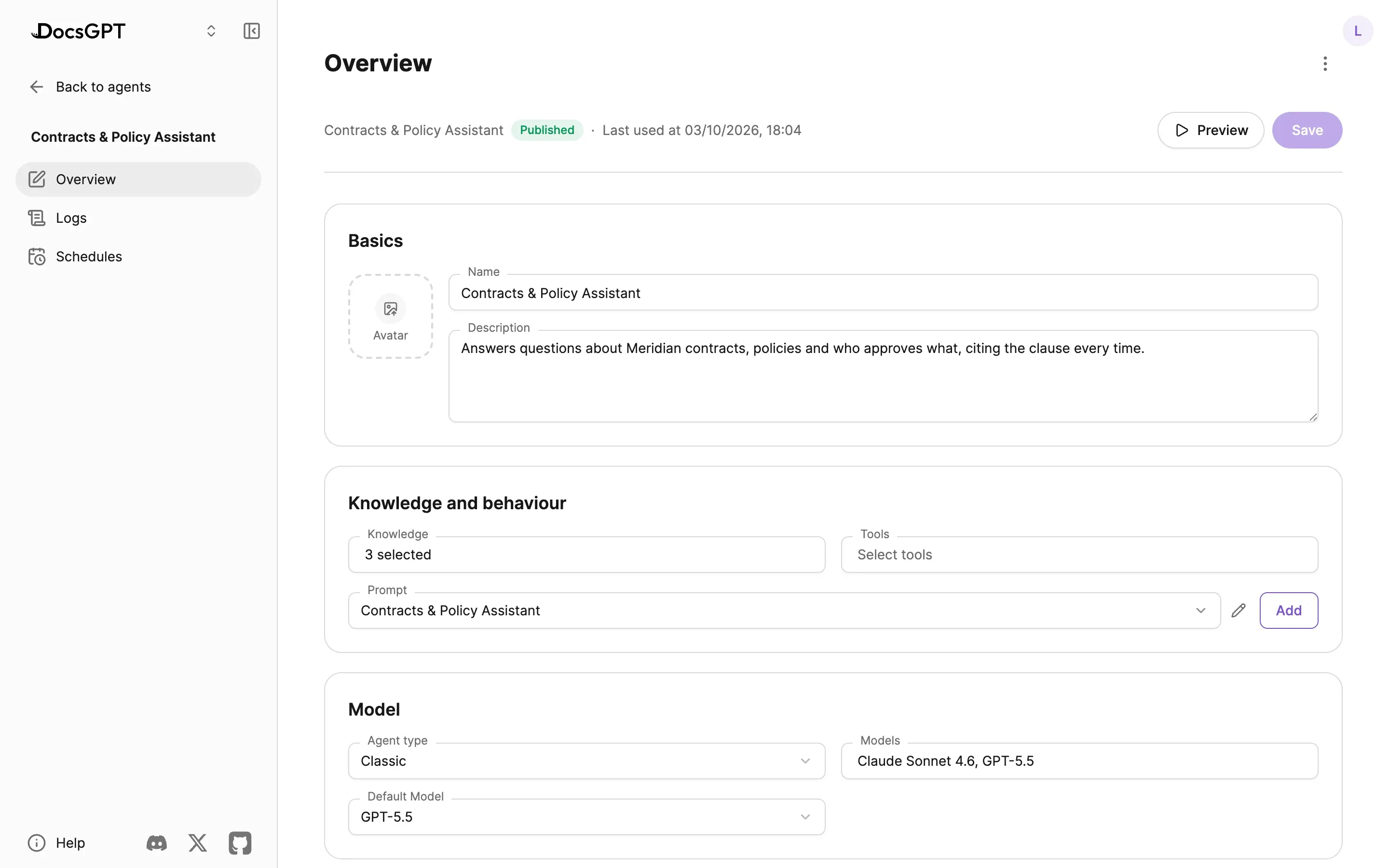
Every agent is one of four types. The editor offers Classic and Research, a Workflow agent is chosen when you create it, and an Agentic agent is set up through the API or YAML. The type decides when retrieval happens and how many steps the model may take; knowledge, prompt, tools and model are set the same way for all four.
Offer an agent several models and pick a default. Whatever the type, any answer or tool call can be held for human approval before it goes out: see guardrails and human-in-the-loop.
type · knowledge · prompt · tools · models · publish
| What it does | Retrieval | Fits | |
|---|---|---|---|
| Classic | Answers from knowledge retrieved before the model runs, plus tool use | Before the model runs | Assistants over a known knowledge base |
| Research | Clarifies, plans, researches and writes a cited report, within step, time and token budgets | Iterative, planned | Long questions across many sources |
| Workflowchosen when you create it | Runs a predefined graph of steps with branching and shared state. Workflows → | Per step | Repeatable document processes |
| Agenticthrough the API or YAML | The model decides when to search and calls tools over several steps | On demand, as a tool | Tasks that mix retrieval with actions |
Built-in tools need no account: read and search the web, run code and produce files, remember facts, call any REST API, operate a paired machine and generate images. Tools from the services you connect, such as GitHub, Linear, Notion or any MCP server, come from connectors.
Every step shows in the chat. Several tool calls fold into one step group you can open, each naming the service it used, and images a tool returns are passed to vision models. Tool calls can be held for approval, and Remote Device commands also pass a denylist.
step timeline · searched notion · used linear: create issue · approvals
Web
Turn any page into clean text, and search the web without an API key.
Read Webpage · DuckDuckGo
Code and files
Analyse data in a sandbox and hand back documents, spreadsheets and charts. See artifacts.
Code Executor · Artifact
Working memory
Remember facts across conversations, keep scratch notes and track a to-do list inside a run.
Memory · Notepad · Todo List
Systems
Call any REST API with parameters the model fills in, no code, or operate a paired machine with approvals and a denylist.
API Tool · Remote Device
Generation
Generate images from a prompt inside a conversation or run.
image generation
Connected services
Google Drive, GitHub, Linear, Notion, Telegram, PostgreSQL and any MCP server, with per-action permissions. See connectors.
github · linear · notion · telegram · postgresql · mcp
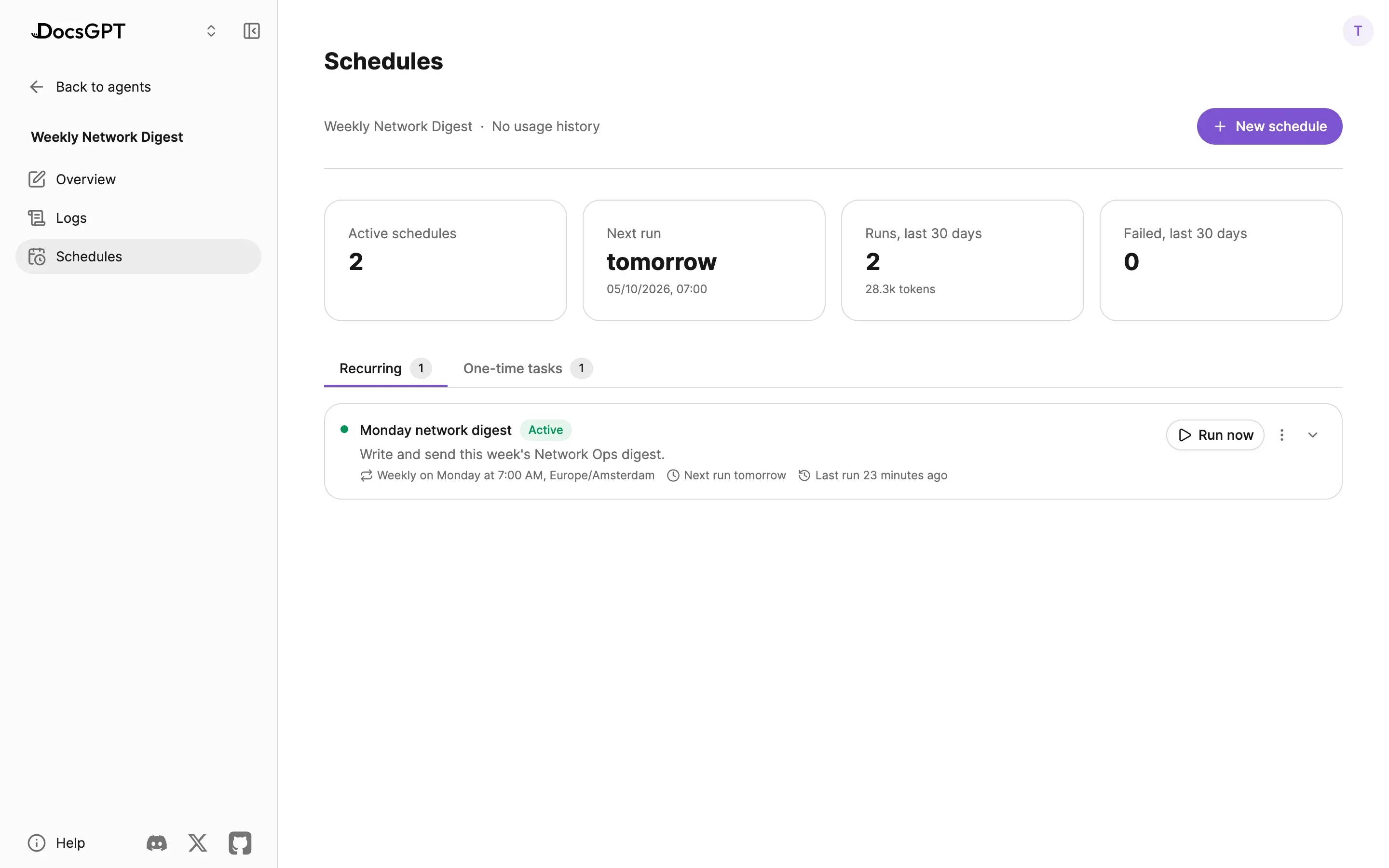
Give an agent a schedule (once, daily, weekly, monthly or yearly, in your time zone) and the instructions to run. Run now tests it, and every run keeps its status, output and tokens.
Nobody is there to approve during a scheduled run, so you choose which tools may act without asking. Scheduled and webhook runs can run code in the sandbox too. A schedule can carry a token budget, and one that keeps failing pauses itself. Agents can also set themselves a one-time follow-up from the chat.
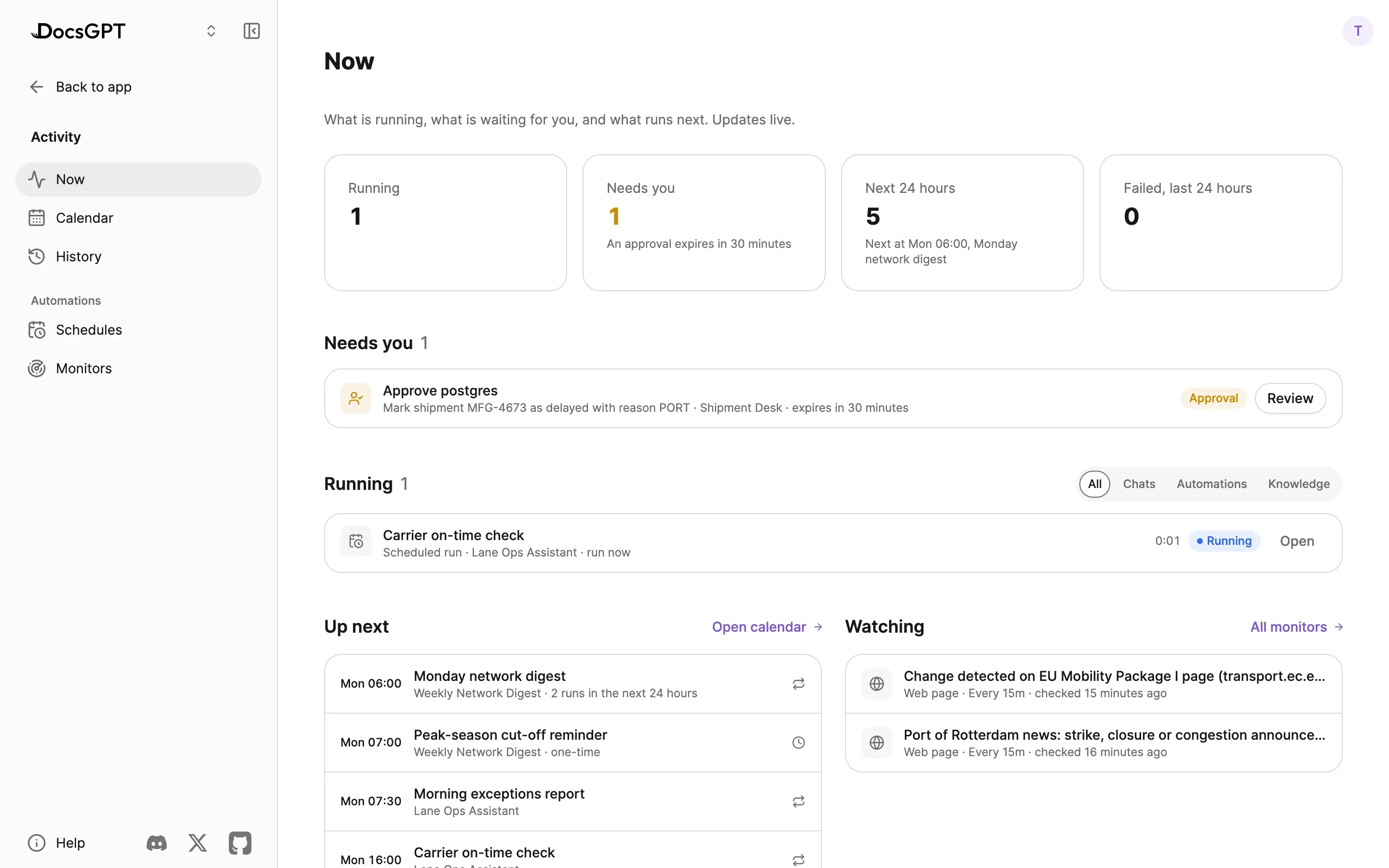
Activity collects the work your agents do outside the chat you have open. Now shows what needs you, what is running and what runs next, and stops a running answer. Calendar lays out every scheduled run and knowledge sync by day, week or month. History keeps every finished run, and Schedules lists them all, including the ones set up in a chat.
Monitors watch a web page, a tool, a webhook link or an approval link for you and pick the conversation back up when something changes. Ask in a chat to be told when a price drops or an issue opens. Long jobs keep running in the background and post their result to the chat.
Notifications reach you in the app, on the chat that needs you, in the browser tab and as push notifications.
Share an agent with people or teams as Viewer, who can chat with it, or Editor, who can change its instructions, model, tools and knowledge. The owner decides whether editors may share or delete it.
An agent shows what it uses and whose access each item runs with. When an editor adds a tool or source the owner cannot use, it runs with the editor's access, and connected tools can use the sharer's account or each person's own.
A published agent gets a public link, an API key you can reset at any time and a webhook URL. People using it by link, key or widget can change things on the owner's accounts only where the owner allows it.
Every agent has its own Monitoring: Analytics for usage, Insights for answer quality and docs gaps, and Logs with the trace of each run. Agents export and import as YAML, organisations offer ready-made agents as Templates, and folders keep a large set organised. Claude Code and Cursor can search an agent's knowledge over MCP: see API, MCP & Widgets.
public link · api key · webhook · analytics · insights · logs · yaml · templates · folders
An agent is drafted with its knowledge, prompt, tools and model, then published. A published agent is shared with a team, a public link, an API key or a webhook, and runs from chat, on a schedule, through the API or over MCP.
Agents, their tools and their schedules run in the DocsGPT backend, inside your deployment. Credentials are encrypted, and shared tools run server-side without exposing secrets to other users.
Four deployment postures, one code base. Compare deployment options →
Inside your network
managed · on-premises · air-gapped
Cloud
Arc53 operates the backend; agents and tools run in Arc53's cloud. Web tools and connected services are reachable by default.
Air-gapped
Same runtime with a local LLM and no external network. Tools that call outside services, such as web search, cloud connectors and Telegram, are unreachable by design; tools that work inside the network (PostgreSQL, Remote Device, code execution), memory and schedules work.
Government infrastructure, local inference
UK Department for Work and Pensions: an internal knowledge assistant on government infrastructure, with local inference.
Source: DWP
Next: Workflow agents in detail · tools from your connectors · approval gates and guardrails · API, MCP and widgets · public sector · deployment options · pricing
A 30-minute demo on your use case, or a free on-premises review with an engineer.
Can we use analytics cookies? They show us which pages lead people to sign up, and connect this visit to your DocsGPT account if you create one. If you say no, we still count page views, but store nothing on your device. Privacy Policy