GitHub stars
18,334
on GitHub
DocsGPT gives every agent an OpenAI-compatible API, an MCP server for Claude, Cursor and other AI clients, and open-source chat and search widgets, with Telegram, Discord, Slack and Chatwoot bots on top. Put your private RAG backend into your product, your docs or your support desk.
/v1/chat/completions · /mcp · npm install docsgpt · access tokens
Last updated:
Anything that already speaks OpenAI can talk to your agents by changing one URL.
Each agent is reachable at /v1/chat/completions with its own API key. The OpenAI SDKs, opencode, Aider and LibreChat work by changing the base URL; the key decides which agent, prompt, sources and model answer.
Send files and images in the messages, set sampling parameters or keep the agent's defaults, and get back the token usage, cached prompt tokens included, and the model that answered, including when a fallback model stepped in.
# drop-in for the OpenAI SDK: change base_url and the key
from openai import OpenAI

client = OpenAI(
    base_url="https://docsgpt.example.com/v1",
    api_key=AGENT_API_KEY,
)

stream = client.chat.completions.create(
    # required by the SDK; the key decides which agent answers
    model="docsgpt-agent",
    messages=[{"role": "user", "content": "Summarise the Q3 security review"}],
    stream=True,
)
for chunk in stream:
print(chunk.choices[0].delta.content or "", end="")Your coding assistant searches your company's knowledge without leaving the editor.
DocsGPT runs an MCP server, so Claude Code, Cursor and any other MCP client can search an agent's knowledge with the search_docs tool and answer from what it finds.
It authenticates with the agent's API key, so the client sees only the sources that agent uses, and every search is recorded in the agent's traces. Here DocsGPT is the server; when DocsGPT calls your MCP servers instead, see connectors.
# Claude Code: add DocsGPT as an MCP server
claude mcp add --transport http docsgpt \
  https://docsgpt.example.com/mcp \
--header "Authorization: Bearer $AGENT_API_KEY"Everything the app does is in the API, and scripts get their own scoped tokens.
Agents answer and stream over the native API, with citations, and the Search API returns the passages on their own. Webhooks let other systems trigger an agent, realtime events keep a client up to date, and a turn that needs approval can pause and resume over the API.
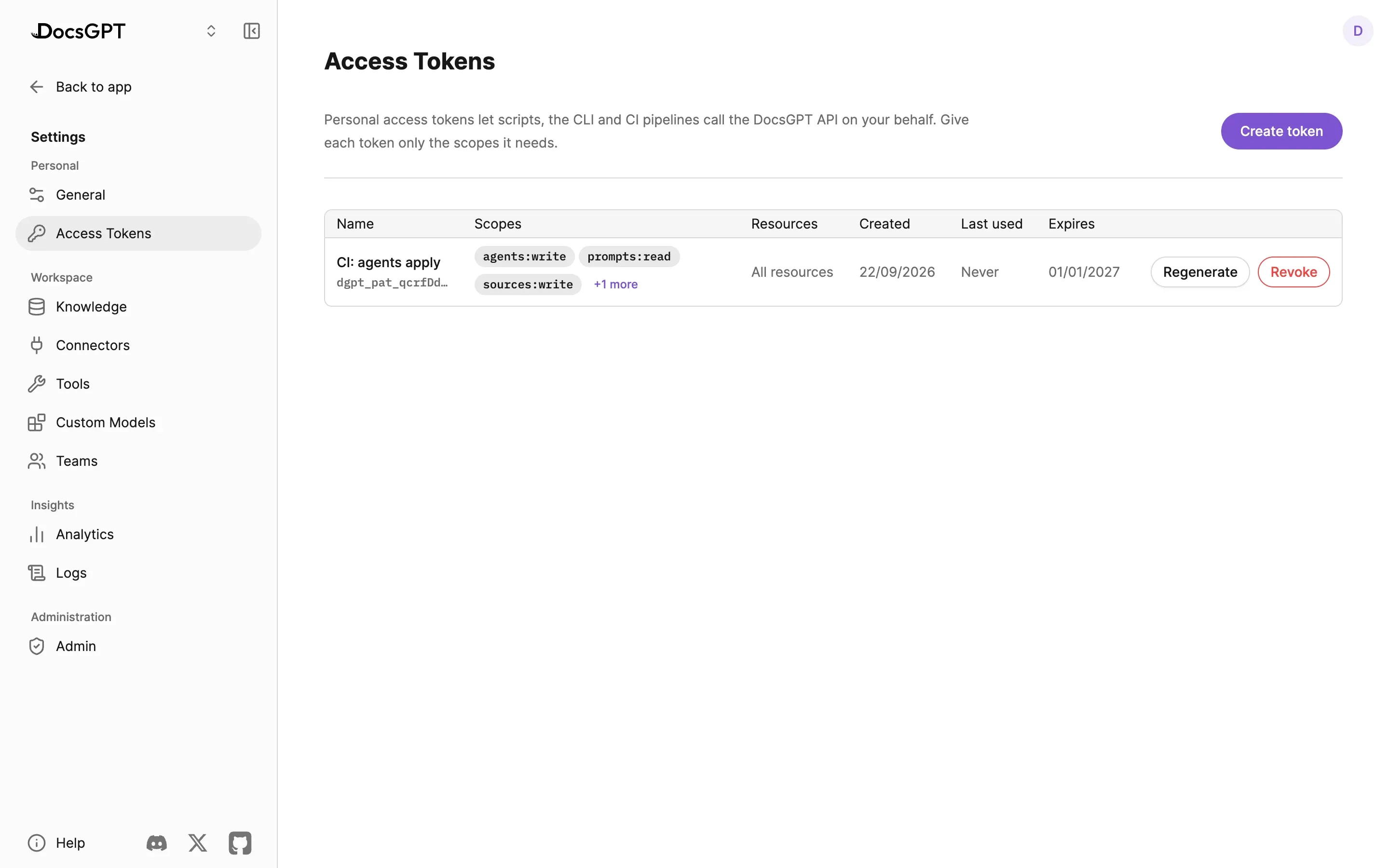
Personal access tokens let scripts, the CLI and CI pipelines act on your account: each is scoped to what it may do, can be limited to specific resources and expires when you say. With docsgpt-cli, agents become YAML you review and apply from CI. API clients can download the files an agent produces, and every instance serves its own REST reference.
A chat widget, a sidebar assistant and a search bar for your docs or product, from one npm package.
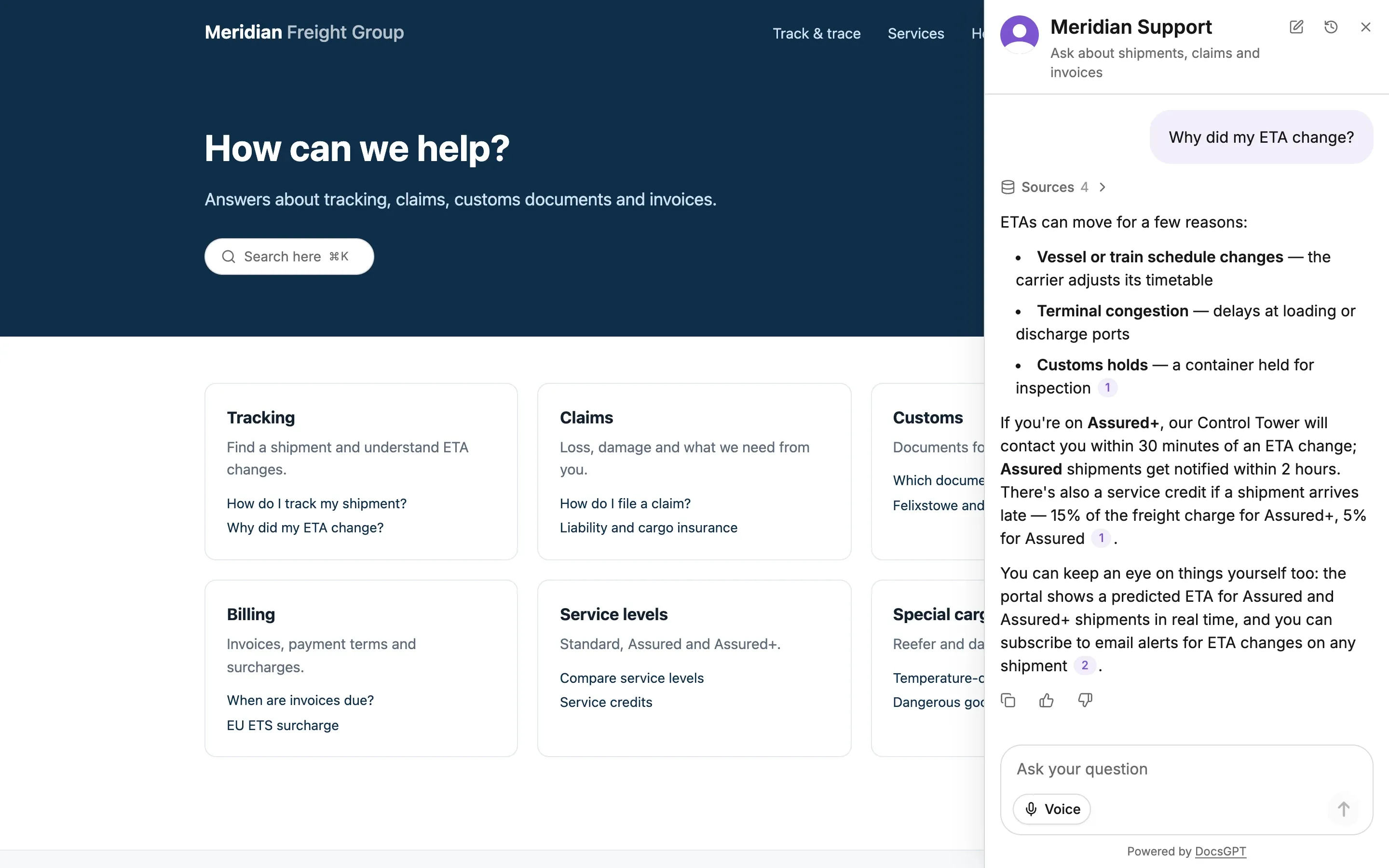
The chat widget is a React or plain-HTML component on npm as docsgpt, themed to your site. It floats as a bubble or docks as a full-height sidebar, speaks eight languages, offers suggested questions and keeps each visitor's conversation history. Every answer lists its sources.
A JavaScript API opens the widget, asks a question for the visitor or reacts to events, and passthrough values such as the plan or the page reach the agent's prompt and its Logs. The same package has a search bar with voice search and an "Ask the AI" hand-off. Widget conversations feed the agent's docs-gap report.
Both are MIT and talk only to your instance with a per-agent key, so a public docs site can use a read-only agent while internal agents stay behind SSO.
floating · sidebar · 8 languages · suggested questions · history · javascript api · passthrough
# chat widget + search bar, one MIT package
npm install docsgpt

import { DocsGPTWidget } from "docsgpt";

<DocsGPTWidget
  apiKey="…"
  layout="sidebar"
  suggestedQuestions={["How do I rotate a key?"]}
  passthrough={{ plan: user.plan }}
/>Four supported channels; everything else through the API.
Bots relay questions from a chat platform to an agent on your instance and post the cited answer back. They need outbound access to that platform, so they are not for air-gapped estates.
| What it does | Outbound access | Where it lives | |
|---|---|---|---|
| Telegram bot | Streams answers into chats, groups and forum topics, with file and voice input and the files your agent produces | Yes, to the Telegram API | arc53/tg-bot-docsgpt-extenstion · MIT |
| Discord bot | Answers direct messages and channel mentions, keeping the conversation for follow-ups | Yes, to the Discord API | arc53/discord-docsgpt-extension · MIT |
| Slack bot | Answers mentions and direct messages in threads; several agents per workspace | Yes, to the Slack API, Socket Mode | arc53/slack-bot-docsgpt-extenstion · MIT |
| Chatwoot extension | Answers inside a Chatwoot support desk | Reachability to your Chatwoot | Built into DocsGPT · MIT |
Other systems connect through the API or webhooks.
The API, the MCP server, the widgets and the bots talk only to your instance URL; no Arc53 service sits in the path on Managed, On-premises or Air-gapped deployments. The Telegram, Discord and Slack bots need outbound access to those platforms, so they are for connected estates, not air-gapped ones. An air-gapped instance still serves the API, the MCP server and the widgets inside the network.
Every deployment posture includes the API and widgets at no extra charge; see pricing. Teams comparing this with building a RAG backend in-house get the retrieval, citations and agents behind one endpoint.
A developer-tools company adds the chat widget to its public documentation with a read-only agent over the docs and changelog. The same agent answers the in-app help panel through /v1/chat/completions, its engineers search it from Cursor over MCP, and a webhook files a summary into the ticketing system when a conversation is escalated.
GitHub stars
18,334
on GitHub
Licence
MIT
platform and widgets
Widget package
docsgpt
npm
Named channels
4
Telegram · Discord · Slack · Chatwoot
A 30-minute demo of the API, MCP server and widgets on your documents, or self-host and call the endpoint today.
Can we use analytics cookies? They show us which pages lead people to sign up, and connect this visit to your DocsGPT account if you create one. If you say no, we still count page views, but store nothing on your device. Privacy Policy