Documents
Text and office documents
Native text is read directly; the parser reads layout and tables.
pdf · docx · doc · docm · odt · rtf · txt · rst · md · mdx · epub · html · xhtml · json
DocsGPT turns your files, web pages and wikis into a private knowledge base: 30+ formats including scanned PDFs, parsed, chunked and embedded so every answer cites its source. Upload files or whole folders, add a website, sync from your connectors, or add files straight from a chat.
upload · folder · website · wiki · connectors · ocr · 30+ formats
Last updated:
Upload files or a whole folder, add a website or start a wiki. Files attached in a chat can join Knowledge too: Add to Knowledge makes them searchable in later conversations and by your agents.
A Website source takes one page or the whole site. DocsGPT finds the pages from the site's sitemap or by following its links, stays on that site, and keeps them up to date on a schedule. A folder upload keeps its subfolders.
Share any source with your team as Viewer or Editor. Passages are scored for prompt injection when agents retrieve them, and guardrails hold back anything suspicious, flagged in the source for review.
upload · folder · website: this page | whole site · new wiki · add to knowledge · viewer · editor
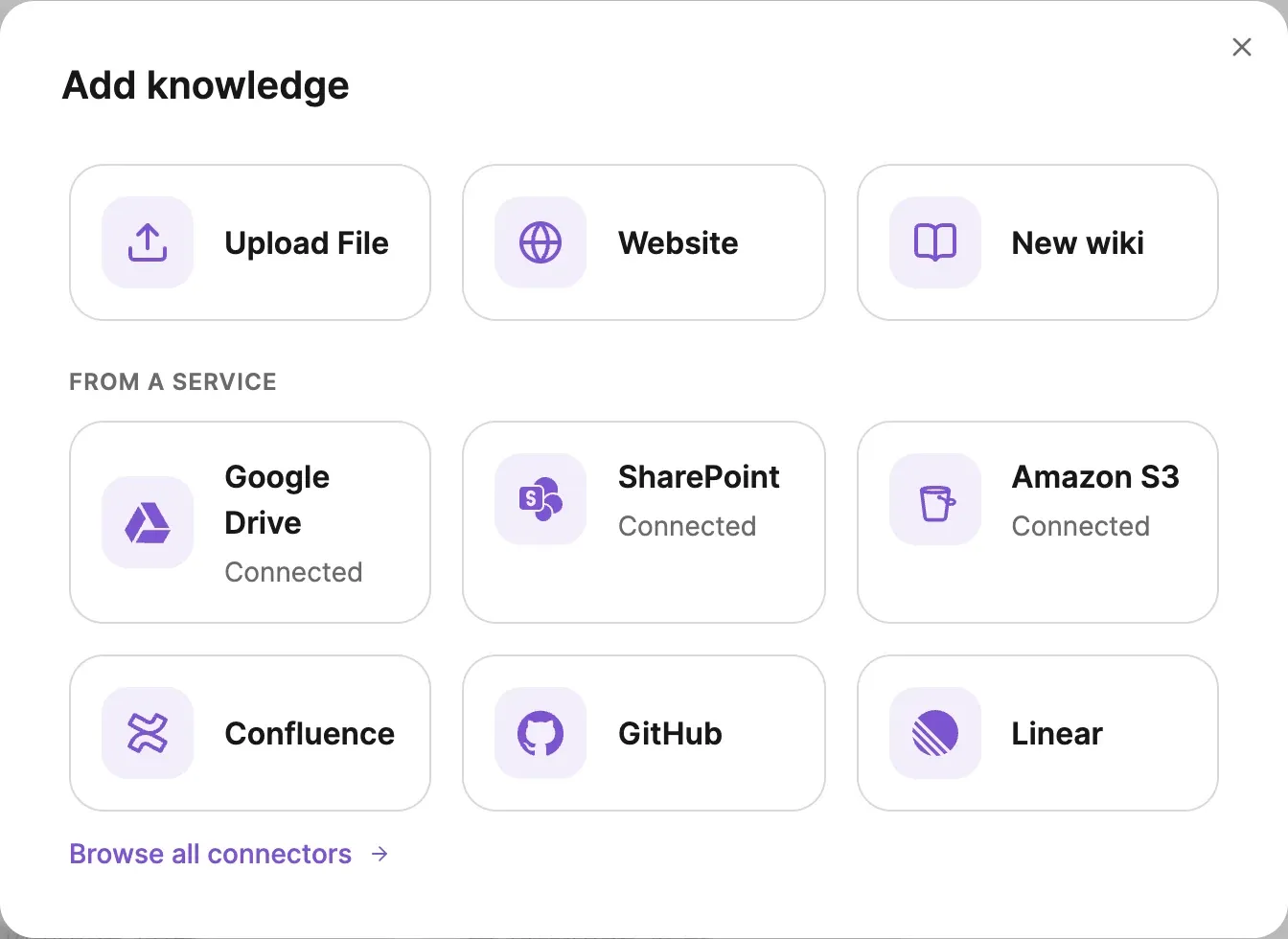
Connect Google Drive, SharePoint, Confluence, Amazon S3, GitHub or Linear once, and the content you pick syncs into Knowledge on a schedule. Synced files are chunked, searched and cited like any upload, marked with the service they came from.
See all connectors →Thirty-plus formats are parsed on the DocsGPT backend into text, tables and Markdown before chunking. Audio is transcribed first; images and scans go through OCR.
ZIP archives are an accepted upload too — the archive is unpacked and every file inside is parsed.
Files attached in chat take a few more: tiff · tif · bmp · webp · adoc · asciidoc · vtt · xml
Default limits
Defaults, not product ceilings: on a self-hosted deployment each of the three is an environment variable.
Documents
Native text is read directly; the parser reads layout and tables.
pdf · docx · doc · docm · odt · rtf · txt · rst · md · mdx · epub · html · xhtml · json
Data and slides
Sheets and slides are parsed cell by cell and slide by slide.
csv · xlsx · xls · xlsm · xlsb · ods · pptx · pptm · ppt · pps · ppsx · ppsm · pot · odp
Images
Image files and scanned pages go through OCR.
png · jpg · jpeg
Audio
Recordings are transcribed before indexing; the transcript is the source.
mp3 · wav · m4a · ogg · webm
Scanned pages and images are read with OCR before chunking, so a contract signed on paper is as searchable as one typed in Word. The parser keeps layout and tables, and the result is clean Markdown.
Choose the OCR engine per deployment: tesseract, or DeepSeek-OCR run locally or hosted, with more engines through the optional Docling parser.
OCR applies to sources and to files attached in chat. For models that read images but not PDFs, DocsGPT sends the pages as images, so the model still sees them.
tesseract · deepseek-ocr · docling · sources + chat attachments
A scanned PDF (or image attachment) is parsed for layout, tables and text; OCR reads the scanned content with tesseract or DeepSeek-OCR; the result is text and tables in Markdown, which are chunked with the strategy set for that source.
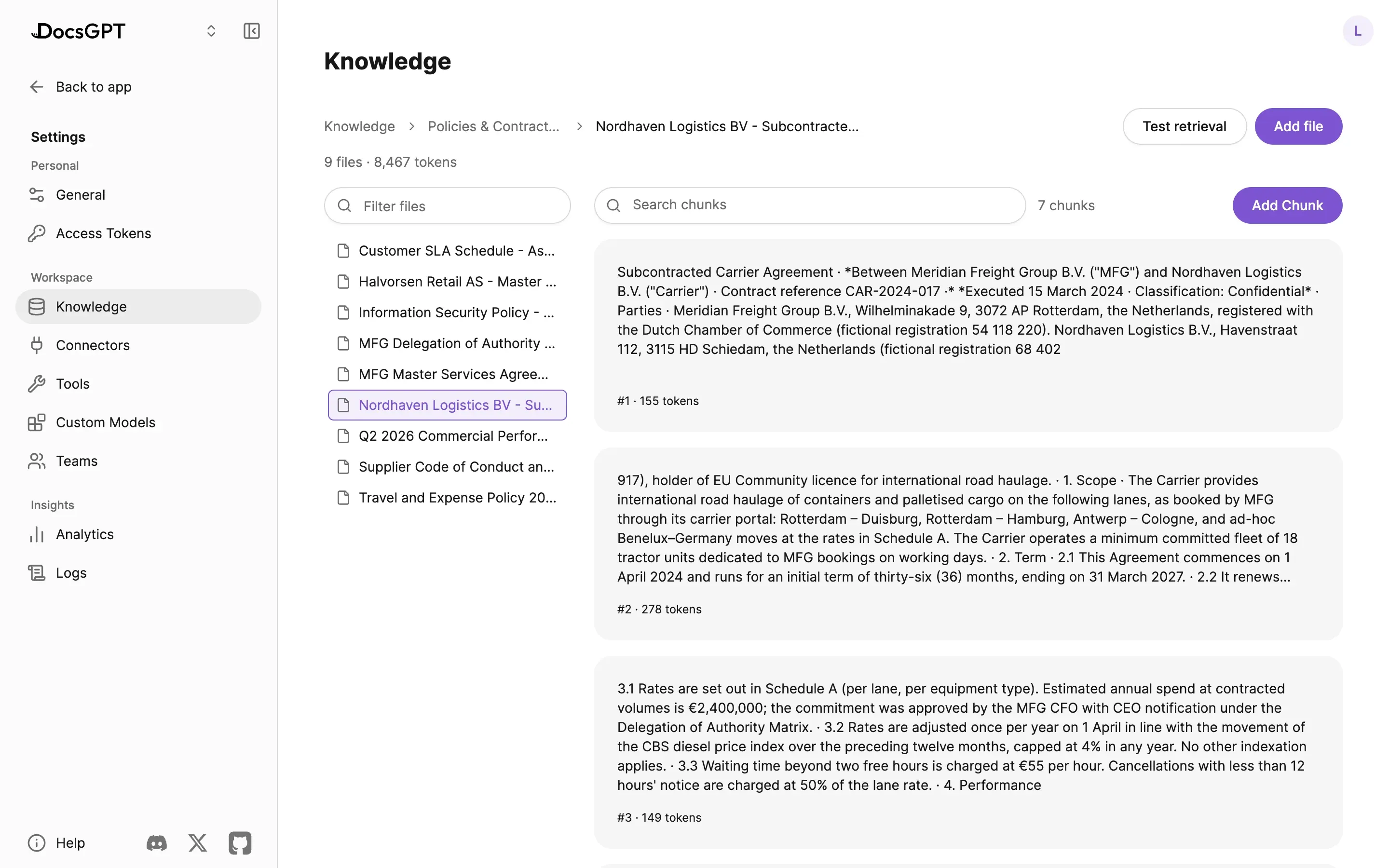
Five chunking strategies, chosen per source. Open any document to see its chunks with their token counts, and add, edit or delete chunks by hand. Test retrieval shows which chunks a question would find.
Strategies
token counts · add · edit · delete · test retrieval
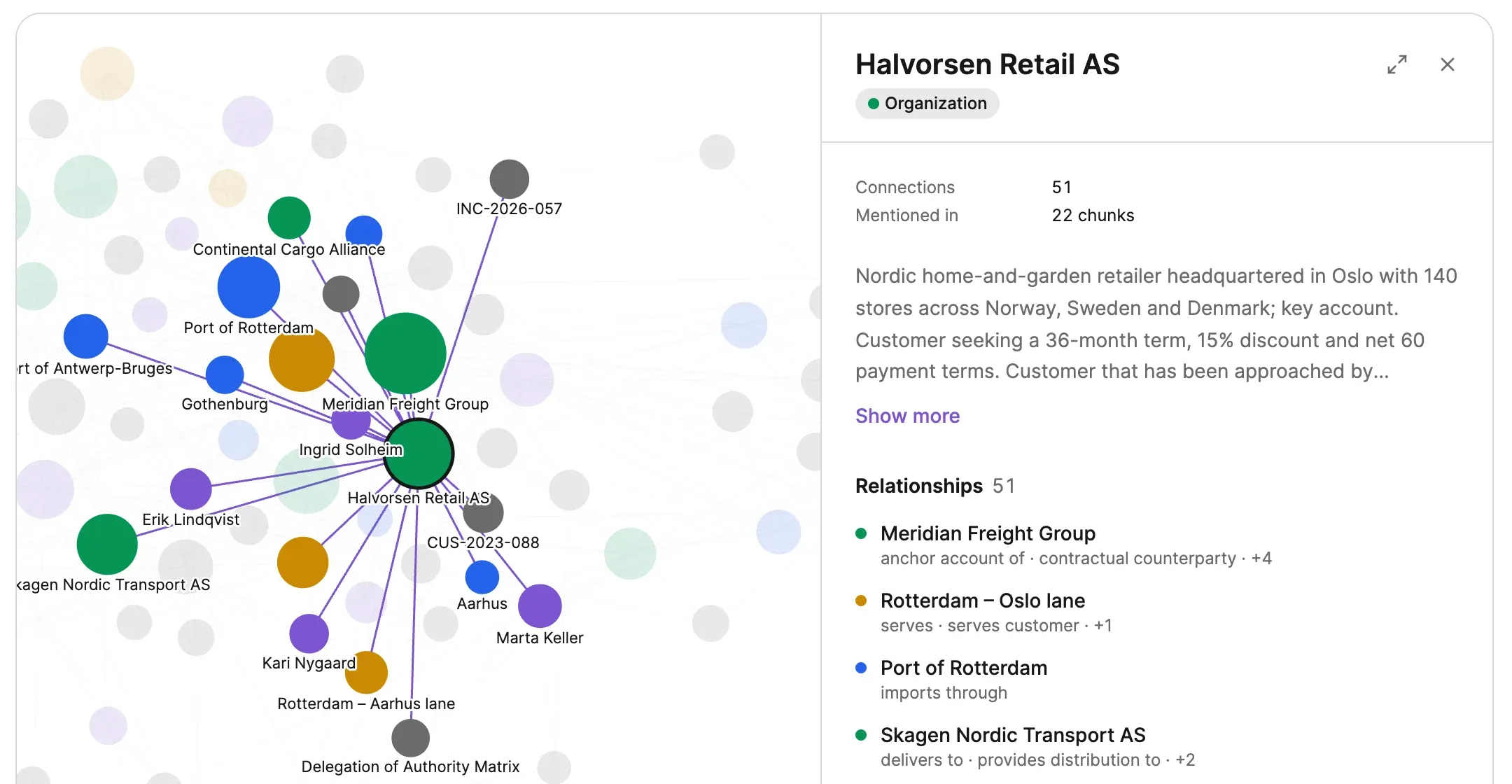
Turn on GraphRAG for a source and DocsGPT reads each chunk with an LLM and extracts the entities in it (people, companies, places, contracts) and how they relate. The result is a knowledge graph you can open next to the files.
Find an entity, see everything it connects to, and read a summary of what the documents say about it, with the number of chunks that mention it. Agents use the same graph to answer questions that span many documents, such as which customers depend on one carrier.
GraphRAG can be switched on when a source is added or later, and needs pgvector. How retrieval walks the graph is on search and retrieval.
graphrag · entities · relationships · mentioned in n chunks
A Wiki source is a set of Markdown pages that agents can create, edit and rename. Every change carries version history and a provenance stamp, either human or agent, and the source re-embeds automatically so answers stay current.
Existing sources can be turned into wikis. The owner decides whether people using an agent through its API or website widget may edit the wiki too.
markdown · provenance: human | agent · version history · auto re-embed
Parsing, OCR and embedding all run in the DocsGPT backend. On Managed, On-premises and Air-gapped deployments, files, OCR output and embeddings never leave your network.
Four deployment postures, one code base. Compare deployment options →
Inside your network
managed · on-premises · air-gapped
Cloud
Arc53 runs the backend; documents are parsed and embedded in Arc53's cloud.
Air-gapped
The same parsers, OCR and embeddings, with no external network. Uploads, wikis and sites on your own network work; cloud services such as Google Drive or SharePoint are not reachable.
Government infrastructure, local inference
UK Department for Work and Pensions: an internal knowledge assistant on government infrastructure, with local inference.
Source: DWP
Next: sync from your tools · how answers are retrieved and cited · automate document processes · run it on-premises · compare with Microsoft 365 Copilot · pricing
A 30-minute demo on your use case, or a free on-premises review with an engineer.
Can we use analytics cookies? They show us which pages lead people to sign up, and connect this visit to your DocsGPT account if you create one. If you say no, we still count page views, but store nothing on your device. Privacy Policy