Skip to content

AI document workflow automation with human-in-the-loop

DocsGPT's visual workflow builder automates document processes without code: AI Agent, Set State, Condition, Code and End nodes, routed by CEL expressions over a shared state, with human approval where needed and a persisted run history.

ai agent · set state · condition · code · end · cel · shared state · run history

Last updated:

Document classification · one run
  1. triggerDocument uploadtrigger
  2. ai agentClassifysmall model
  3. ai agentExtractwrites state
  4. conditionDecidecel over state
  5. endNotifytemplate
humanHuman approvalapprove · reject · logged
  1. execution history
  2. run-041609:02invoice · 0.94 · auto2.1 s
  3. run-041709:09contract · 0.91 · auto2.6 s
Text version

A document is uploaded and passed to a Classify node (AI Agent), then to an Extract node (AI Agent) that writes fields into the shared state. A Decide node (Condition) evaluates a CEL expression over that state: if the classification confidence is at least 0.8 the run goes straight to Notify (End); otherwise it goes to a human approval step, and only after approval does it reach Notify.

Five node types

Each AI Agent node carries its own model, prompt, tools and documents, and can stream its output to the user.

ai agent · set state · condition · code · end

app.docsgpt.cloud — Agents › Workflow canvas
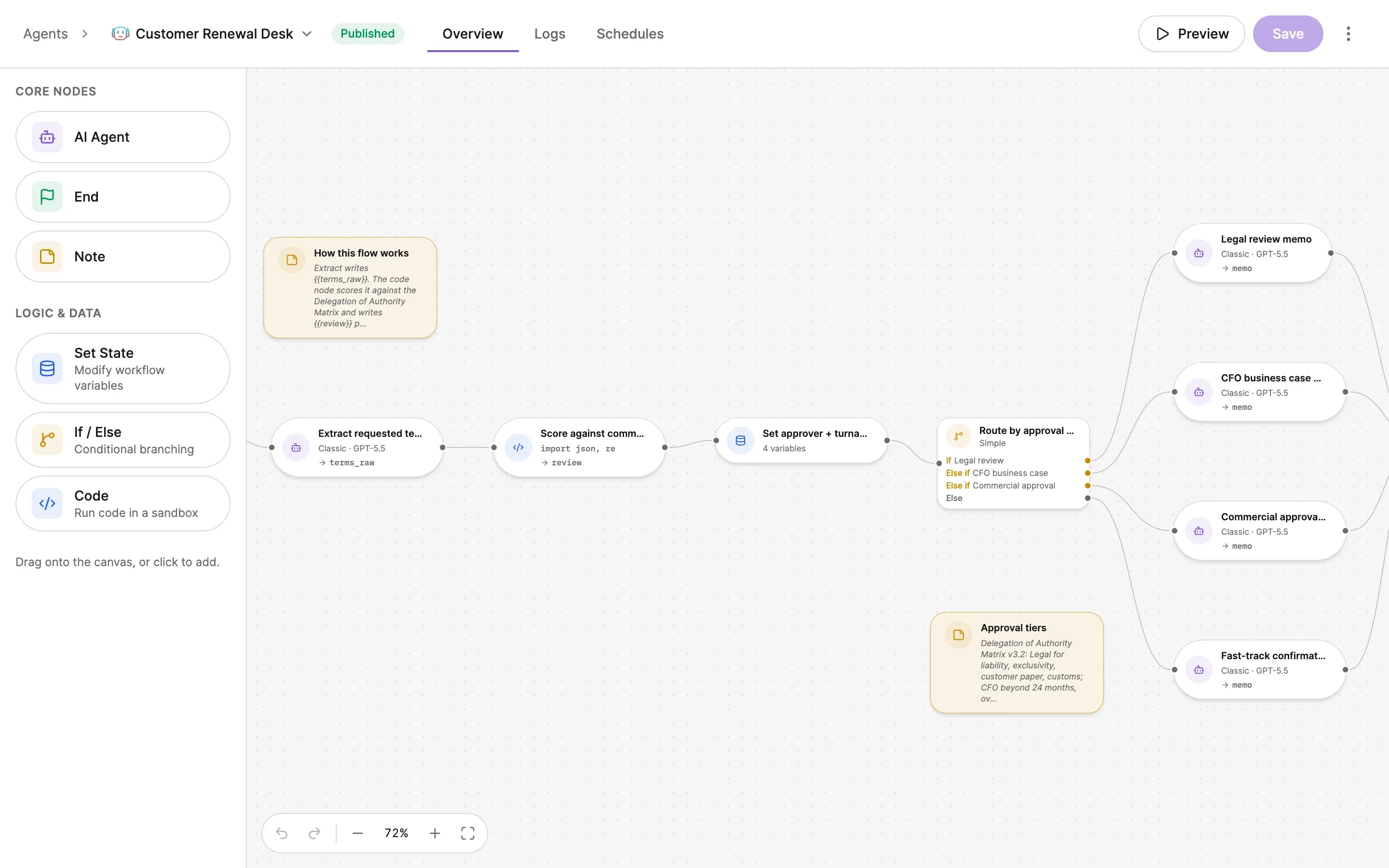
A workflow canvas for support triage. Start ("Entry point of the workflow") runs into Classify request, a CLASSIC agent node on docsgpt-local with Output: category, then into Set priority + SLA, a state node holding 2 variables. Those feed Route to queue, a SIMPLE condition with three branches — If People Ops, Else if Engineering, Else — each going to its own CLASSIC agent node on docsgpt-local with Output: draft: People Ops answer, Engineering on-call…, Commercial answer. All three converge on Draft the reply (CLASSIC, docsgpt-local) and then End ("Workflow completion"). A note pinned to the canvas reads "How this flow works: Classify writes {{category}}. The state node derives priority and SLA from it. Every queue answers from the company wiki…". Undo and redo buttons sit in the top-left corner.
app.docsgpt.cloud — Agents › Workflow canvas
A workflow canvas for support triage. Start ("Entry point of the workflow") runs into Classify request, a CLASSIC agent node on docsgpt-local with Output: category, then into Set priority + SLA, a state node holding 2 variables. Those feed Route to queue, a SIMPLE condition with three branches — If People Ops, Else if Engineering, Else — each going to its own CLASSIC agent node on docsgpt-local with Output: draft: People Ops answer, Engineering on-call…, Commercial answer. All three converge on Draft the reply (CLASSIC, docsgpt-local) and then End ("Workflow completion"). A note pinned to the canvas reads "How this flow works: Classify writes {{category}}. The state node derives priority and SLA from it. Every queue answers from the company wiki…". Undo and redo buttons sit in the top-left corner.

AI Agent runs an LLM step with a per-node model, prompt, tools and documents. Set State writes the shared state through a CEL expression. Condition branches on a CEL expression and must have an else branch. Code runs a sandboxed script with artifact and file I/O. End returns the output from a template.

DocsGPT workflow node types
 DoesConfigurable
AI AgentLLM stepper-node model, prompt, tools, documents; optional stream-to-user
Set Statewrites shared stateCEL expression
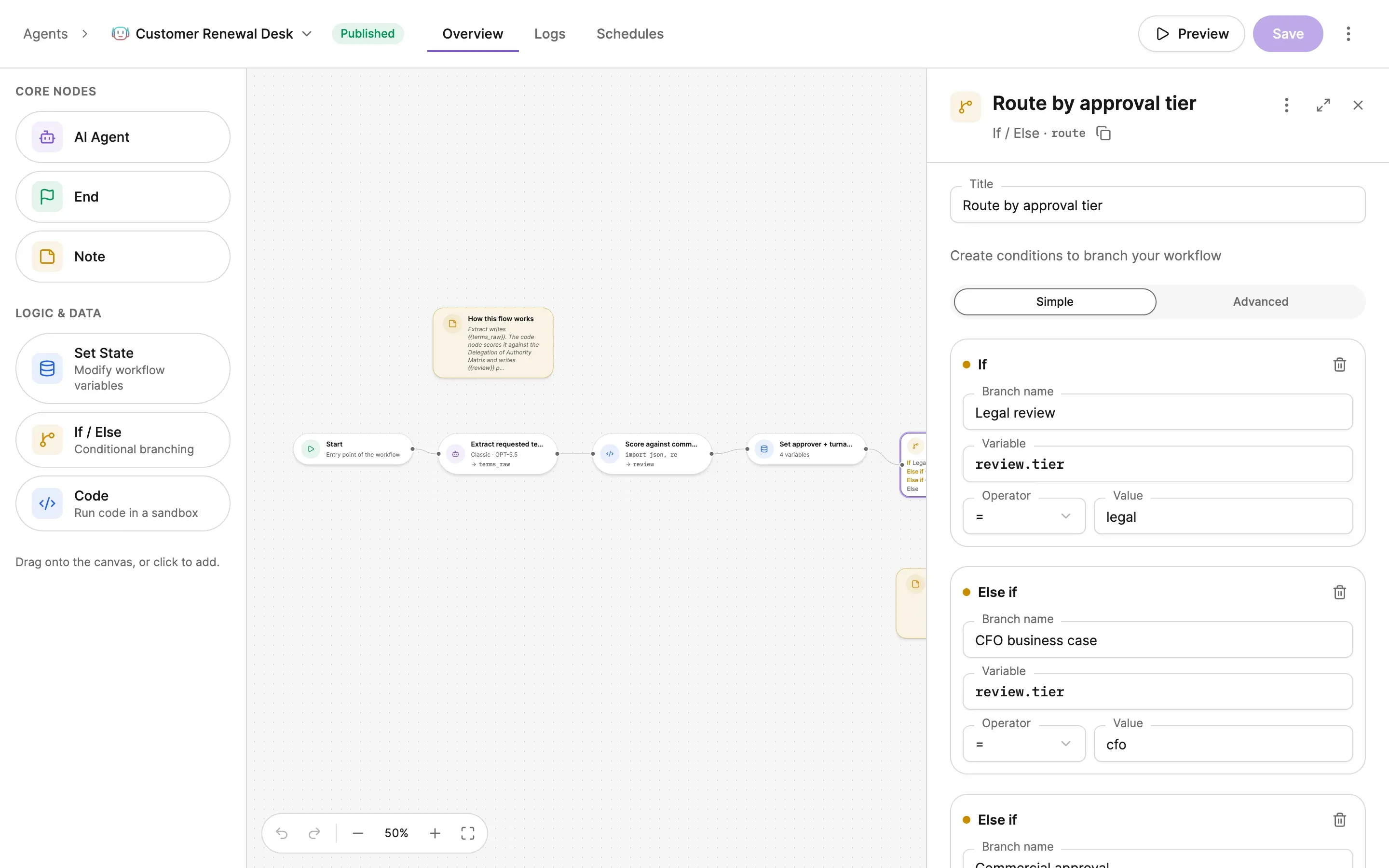
ConditionbranchesCEL expression; mandatory else
Codesandboxed scriptartifact / file I/O
Endreturns outputtemplate

Deterministic routing with CEL

CEL (Common Expression Language) is a small, side-effect-free expression language: given the same state it always evaluates the same way, so a route is a fact you can read, not a model's judgement. Condition nodes evaluate a CEL expression over the shared state and must declare an else branch.

The shared state is a dict every node can read and write. Each AI Agent node can override the model, so classification and extraction can use different models in one run.

cel · shared state dict · mandatory else · per-node model override

# Condition node — a CEL expression over the shared state
state.confidence < 0.8          # true  → human approval branch
                                # else  → Notify (else is mandatory)

# Shared state is a dict every node can read and write
state.doc_type == "invoice"
state.total    > 10000

field names are yours

Human approval inside the flow

Approval gates hold a response before it is delivered or a tool call before it executes. The reviewer sees the pending item and approves or rejects it in one click; every decision is logged.

The same gates apply across the platform. See Guardrails and human-in-the-loop.

gate: response | tool execution · approve / reject · logged

zsh — approval prompt

Run history and iteration

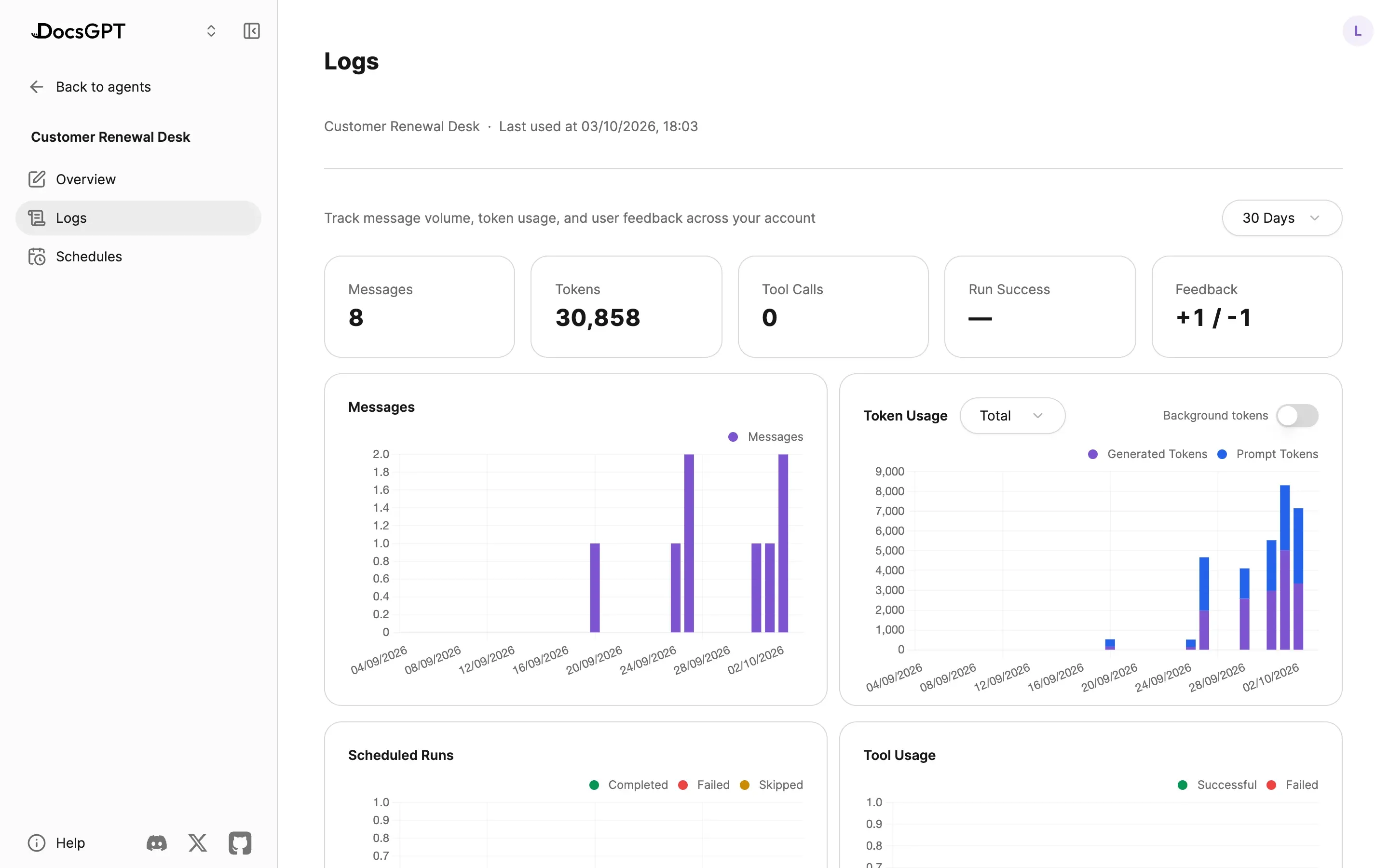
Every run is persisted with its state at each node, so the value that decided a branch is visible after the fact. The editor has undo and redo (v0.19), and workflows import and export as YAML.

execution history · run persistence · undo / redo (v0.19) · yaml import / export

execution history4 runs
  1. run-04182026-09-07 09:14transfer · approved by j.doe4.2 s
    state at each node
    classify
    doc_type: transfer · confidence: 0.62
    extract
    amount: 48,200 · currency: EUR · beneficiary: …
    decide
    state.confidence < 0.8 → else
    human approval
    approved · j.doe · 09:14:31
    notify
    sent · template: ops-review
  2. run-04172026-09-07 09:09contract · 0.91 · auto2.6 s
  3. run-04162026-09-07 09:02invoice · 0.94 · auto2.1 s
  4. run-04152026-09-07 08:55transfer · 0.41 · rejected by m.ali5.0 s

How it runs privately

Node execution, shared state and run history stay in your PostgreSQL. Code nodes run inside your network, in the self-hosted sandbox. That sandbox is the same Jupyter Kernel Gateway used for artifacts and code execution.

Four deployment postures, one code base. Compare deployment options →

Inside your network

  • workflow engine · shared state
  • run history (postgresql)
  • code node sandbox (jupyter kernel gateway)
  • approval queue

managed · on-premises · air-gapped

Cloud

Arc53 operates the engine and sandbox; runs and history are stored in Arc53's cloud.

Air-gapped

Same engine, state and history on your PostgreSQL; AI Agent nodes use a local LLM; Code nodes use the self-hosted sandbox. No external network.

Examples

24 h → 16 min

A large Central European commercial bank processes 10,000+ inbound documents a day; time-to-action fell from 24 hours to 16 minutes, with over 99.5 % classification accuracy, running fully air-gapped on the bank's existing NVIDIA T4 GPUs.

Source: EU bank, name under NDA

1–2 days → ~5 min

Transfer-document review that took 1–2 working days (P95) now completes in about 5 minutes, with 12 deterministic and agent checks and human approval for uncertain cases.

Source: Bank (POC), name under NDA

Next: agent types and tools · guardrails and approval gates · generated files and the sandbox · banking and financial services · deployment options · pricing

Frequently asked questions

What is a human-in-the-loop AI workflow?

A workflow in which a person approves or rejects specific steps (an answer before it is sent, or a tool call before it executes) instead of the model acting alone. In DocsGPT, approval gates sit inside the flow, take one click, and every decision is logged.

How does an AI document classification workflow work?

Upload → Classify (AI Agent) → Extract (AI Agent) → Decide (Condition on the shared state) → Notify (End). Low-confidence cases branch to human approval before Notify; high-confidence cases go straight through.

Do I need to code to build an AI workflow?

No. Nodes are placed and connected on a visual canvas, and routing is a short CEL expression such as state.confidence < 0.8. The Code node is optional, for cases where a script is the clearest step.

Can a workflow use different models per step?

Yes. Each AI Agent node has its own model, prompt, tools and documents, so a small local model can classify and a larger one can extract, in the same run.

Can I see why a run took a branch?

Yes. Execution history persists every run with the state at each node, so the value that decided a Condition is visible afterwards.

See DocsGPT on your documents

A 30-minute demo on your use case, or a free on-premises review with an engineer.