Who Can Use It, What It Costs, What Happened: Governance in DocsGPT 1.0
Roles and sharing, SSO and SCIM, per-user quotas, scoped access tokens, an exportable Activity feed and OpenTelemetry traces in DocsGPT 1.0.
Pavel Torbin12 min readsecuritydeployment
A pilot of an AI assistant tends to end the same way. A dozen people liked it, someone wants it for the whole company, and IT sends back three questions: who will be able to use it, what will it cost, and when something goes wrong, how will we find out what happened?
The DocsGPT 1.0 release post answered each of those in a paragraph. This is the longer version, for the admin or IT lead who has to sign off on a rollout. Everything below works the same on Cloud, on a managed instance and on your own servers, and all of it rests on one assumption: people sign in as themselves. In practice that means single sign-on, so that's where we start.
Who Can Use It: Sign-In, Provisioning and the First Admin
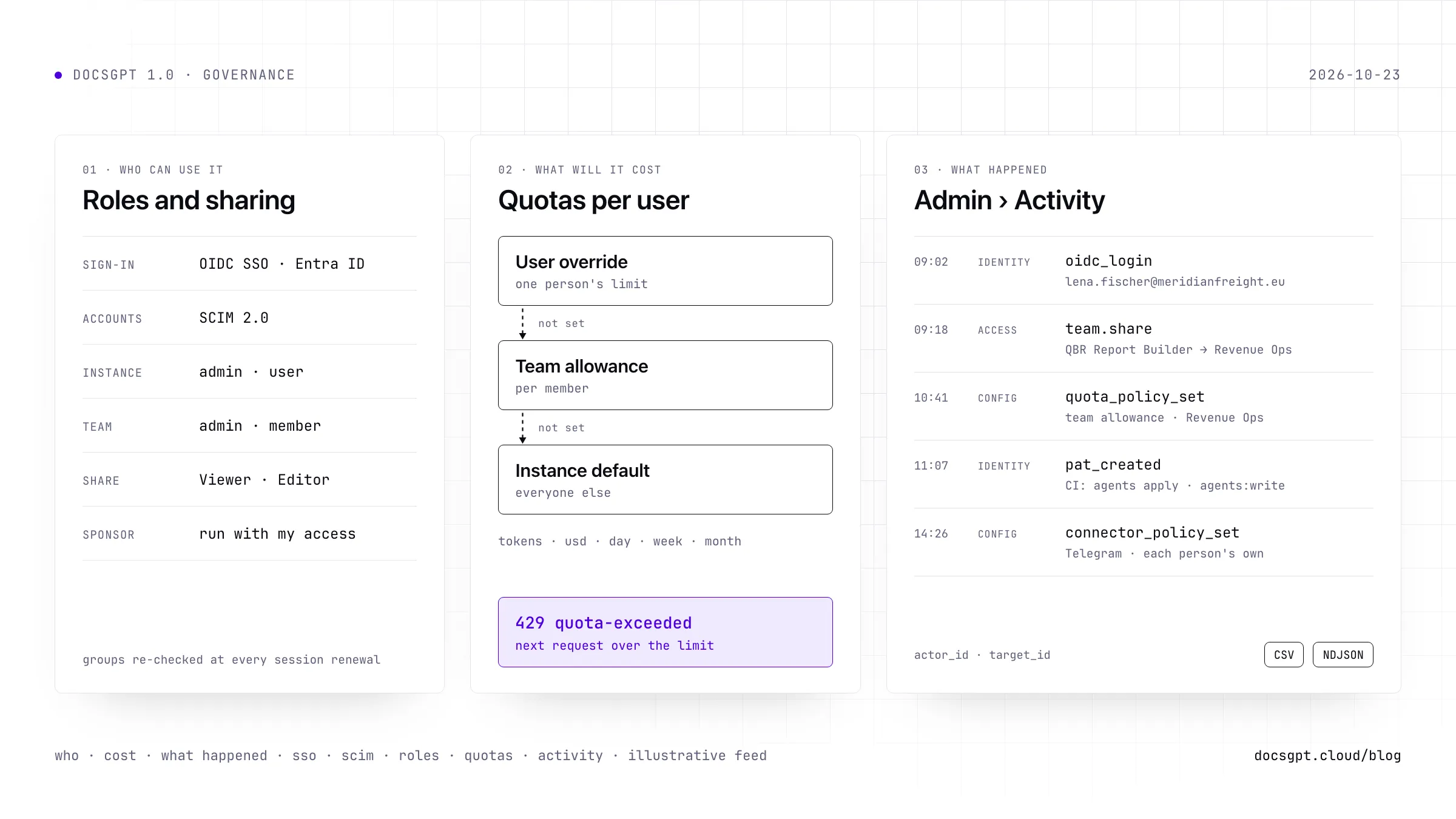
Set AUTH_TYPE=oidc and DocsGPT hands sign-in to your identity provider. Any OIDC provider with a discovery document works, and the SSO guide walks through Authentik, Keycloak and, new for 1.0, Microsoft Entra ID. Two settings carry most of the policy: OIDC_ALLOWED_GROUPS decides who may sign in, and OIDC_ADMIN_GROUPS who administers. Both are checked again at every silent session renewal, so taking someone out of a group in your directory cuts them off at their next renewal rather than the next time they happen to log in. With Entra, we recommend app roles such as DocsGPT.Admin over raw group object IDs.
SCIM 2.0 covers the rest of the lifecycle. Your directory creates the account before the first sign-in, and deactivating someone there revokes their live sessions and their access tokens at once. SCIM provisions people, not groups; teams are managed inside DocsGPT.
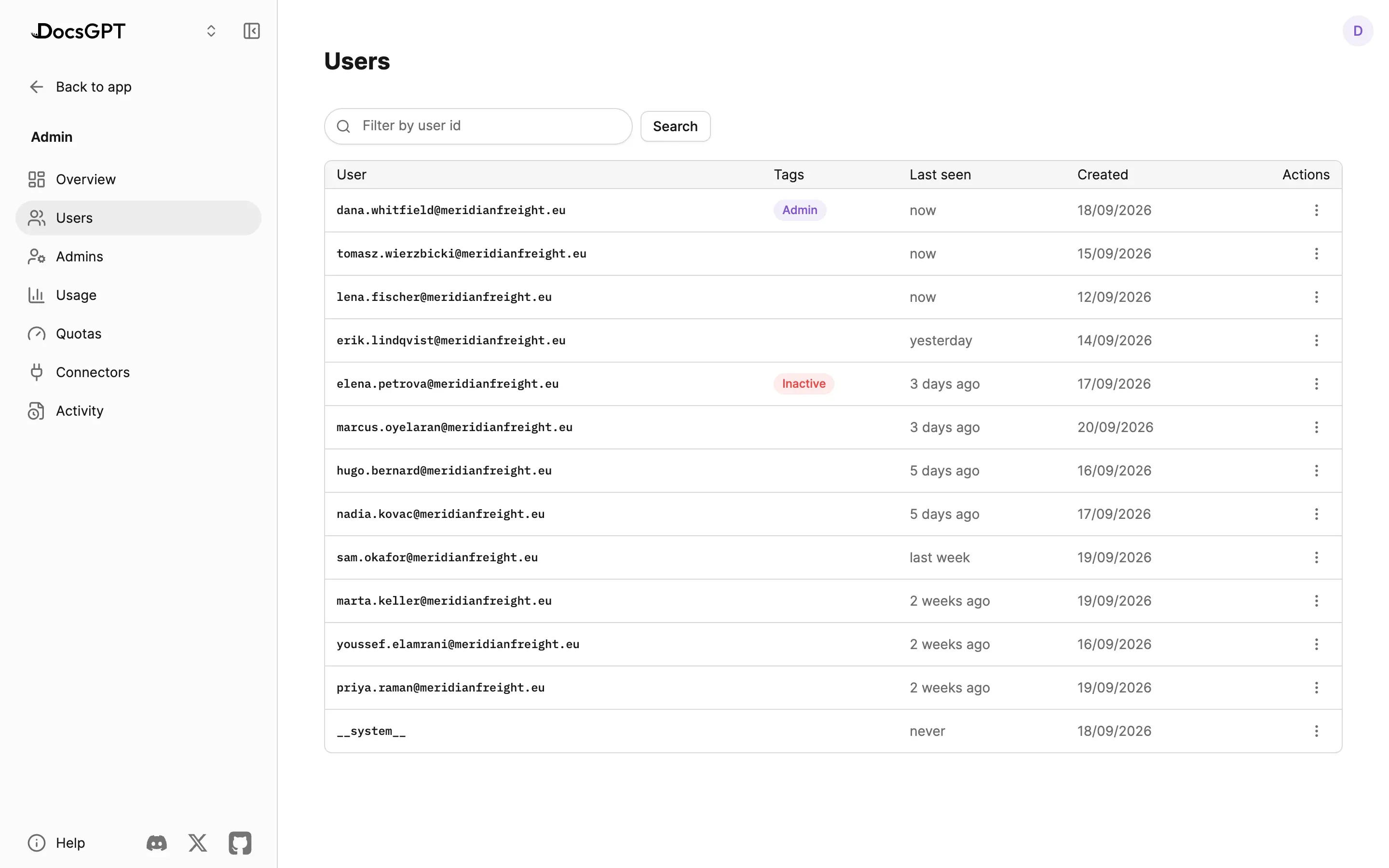
That leaves the first admin, a chicken-and-egg problem on a fresh install. On your own deployment, either sign in as a member of an OIDC_ADMIN_GROUPS group or run docsgpt grant-admin with your user id (on Docker, inside the backend container). From then on it's the admin console, which refuses to remove the last admin.
Sharing an Agent Without Handing Over Your Keys
DocsGPT has two kinds of role, and they never mix. Every account is an instance admin or user. Inside a team, people are team admins or members, and a team admin gets no instance powers. Teams are self-serve: anyone can create one and add colleagues who have signed in once.
1.0 rebuilt sharing. An agent, a knowledge source, a prompt or a tool goes to a whole team or one person as Viewer or Editor. Viewers chat with an agent, editors change its instructions, model, tools and guardrails, and nobody you share with becomes an owner. Owners keep the switches that widen access: Editors can share, Editors can delete and Viewers can see logs stay off until you turn them on.
The harder question is whose access an agent runs with. Every tool, source and prompt on it belongs to someone, and runs with that one person's access for everyone who chats with the agent. The share dialog now spells this out under What this agent uses: your access, a teammate's saved credentials, or each person's own account. When an editor adds something the owner can't use, it runs with the editor's access and the editor becomes its sponsor, but only after a dialog names who will reach it through the agent. If a sponsor later loses access, that item stops and the agent's page says why, until another editor takes it over with Run … with my access. The people a shared tool runs for never see its credentials.
What It Will Cost: Quotas in Three Layers
Usage quotas cap what each person spends on models, in tokens, US dollars or both, per day, week or month. Limits come from three layers, and for each budget the first layer that sets one wins.
Text version
DocsGPT looks for a limit in three layers, in order. First the user override, one person's own limit. If it is not set, the team allowance, which each member of the team gets in full; someone in several teams gets the most generous one. If neither is set, the instance default. Tokens and US dollars resolve separately, per day, week or month. Once a user is over the limit, the next request is refused with HTTP 429 until the window resets.
A team allowance isn't a pool the team shares. If it says two million tokens, each member may use two million, and someone in several teams gets the most generous of them, never the sum. To hold one person below their team, give them an override. Only instance admins set allowances, and every change lands in the audit log.
Quotas are checked before a request starts. The request that crosses the line finishes; the next one gets HTTP 429 with the reset time, whether it came from chat, the API, a schedule or a webhook. Spend is charged to whoever started the work. A shared agent charges the person chatting with it, and your own agent's API key, webhooks and schedules charge you as its owner. One planning note: dollar budgets see only models with a price, so give local models a token budget, which counts every model.
Where the Spend Went
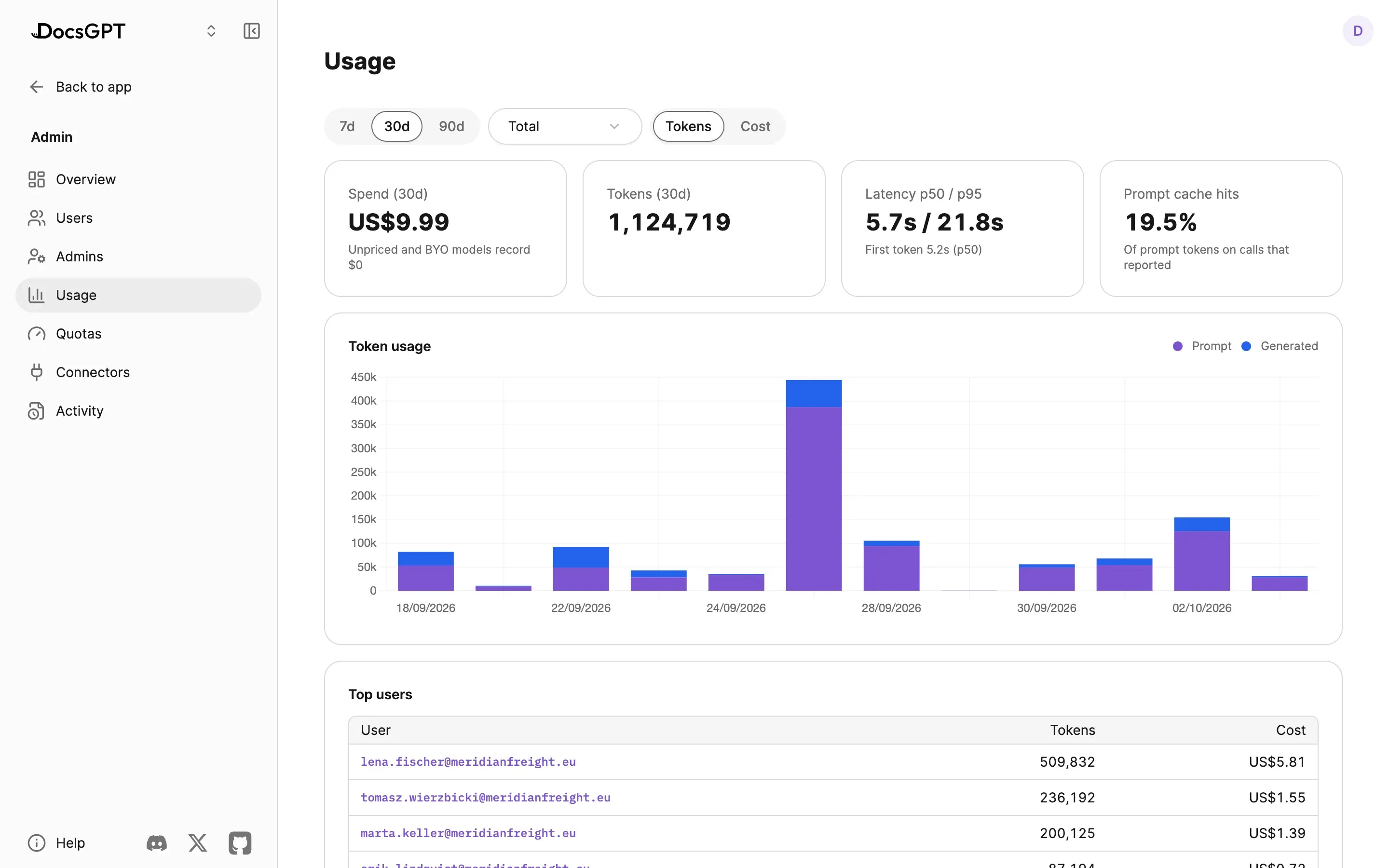
Admin › Usage shows spend and tokens over 7, 30 or 90 days, latency at the median and the 95th percentile, prompt-cache hits and the people who used the most. The chart splits by model, by agent or by flow. Each call's cost is stored when it's made, so a later price change doesn't rewrite last month. People with a quota see their own usage and reset time under Settings › Analytics.
Scripts and CI Without a Shared Login
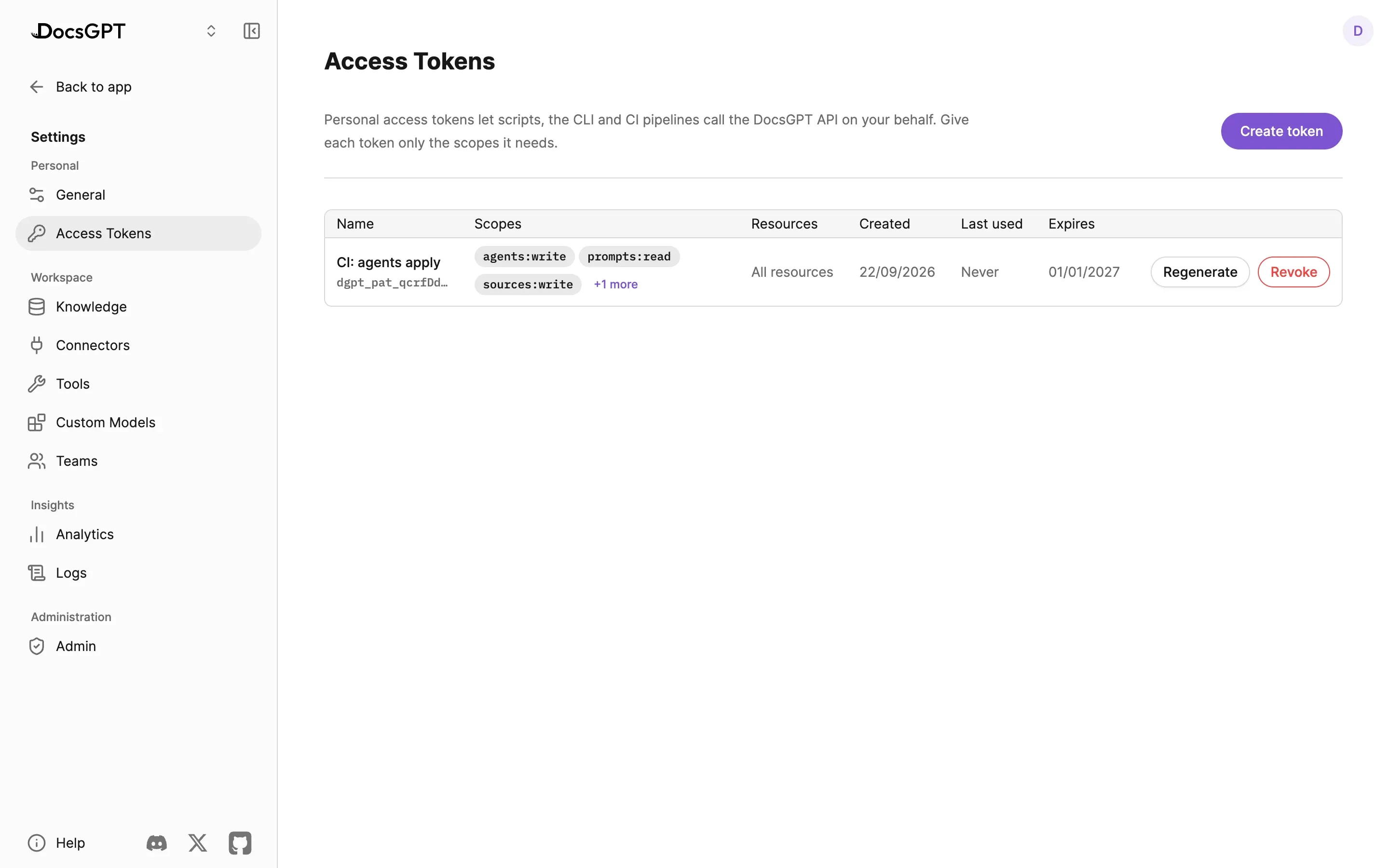
Personal access tokens let a script or a pipeline act as one user instead, with scopes such as agents:write or sources:read, optional limits to specific agents, sources, prompts, tools or workflows, and an expiry. A token is shown once and stored as a hash, and its dgpt_pat_ prefix lets secret scanners catch one in a commit. Tokens can't create or revoke tokens, so a leaked one can't mint its own replacement.
That's what docsgpt-cli uses to keep agents in Git. docsgpt-cli agents export writes an agent as YAML, a pull request reviews it, and agents apply in CI pushes the reviewed version back. Admins can list and revoke anyone's tokens, a force-logout revokes all of a person's tokens along with their sessions, and every token created, regenerated or revoked goes into the audit log.
What Happened: One Feed, Ready to Export
Admin › Activity merges three append-only journals into one timeline: sign-ins and changes, remote-device commands, and guardrail decisions. Every row has a category (identity, access, config, data, device or safety) and two names, an actor_id for who did it and a target_id for whom it was done to, so everything one admin changed last week is a filter on the actor and the dates. Narrow by category, event, person or time window, search inside each row's details, and export exactly what you filtered as CSV or NDJSON for your SIEM or an access review.
Data events cover knowledge sources, agents and deleted conversations, and an agent edit records which fields changed, never their values. Changes in Admin › Connectors are recorded with each setting's old and new value.
Each agent also keeps its own Guardrail activity, with Blocked, Redacted, Flagged and Not evaluated counts and a table of decisions. By default its journal stores what matched rather than the text, and keeps rows for 30 days.
Text version
Three append-only journals feed the Activity tab: sign-ins, provisioning, role, team, token, quota, connector and data changes from the authentication and audit journal; remote-device commands from the device log; and guardrail decisions from the guardrail journal. Admin › Activity, highlighted, merges them into one timeline where every row has a category, an actor and a target, and can be filtered and searched. The filtered feed exports as CSV or NDJSON.
Every Run, Step by Step, in the Tools You Already Use
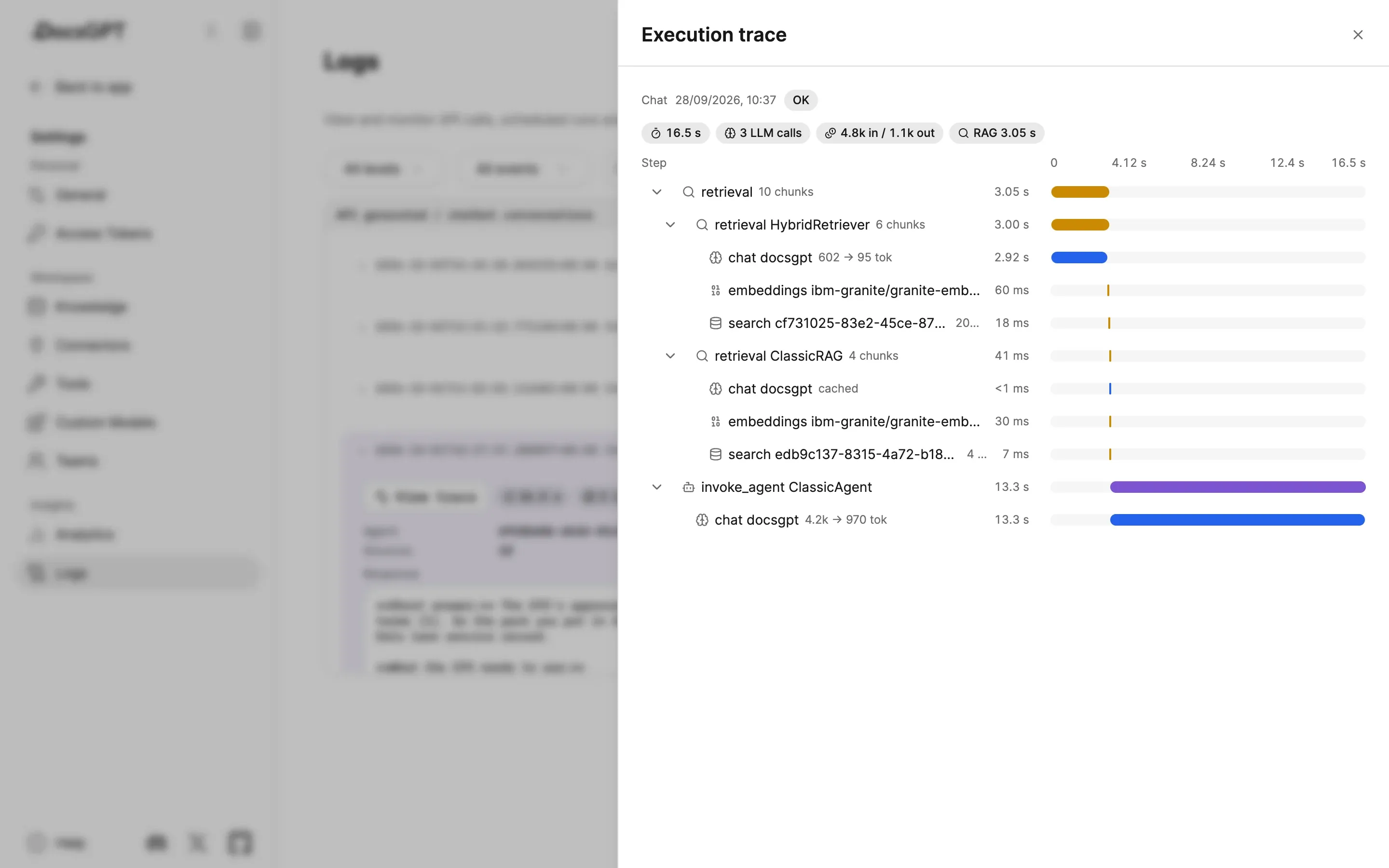
Activity tells you who did what. An execution trace tells you what one run did: each retrieval, model call, tool call, guardrail check and workflow step, with its timing and tokens. Traces are stored in the instance's database and open from Logs as a waterfall. They keep short previews with secret-named fields redacted, never full prompts, and are deleted after 30 days by default.
1.0 also exports every trace as OpenTelemetry GenAI spans, so Langfuse, Arize Phoenix, Datadog LLM Observability or Grafana can show DocsGPT runs beside the rest of your stack, with their own token and cost views. Nothing leaves the instance until you point it at a collector, and prompt and tool content stays out of the spans unless you opt in, because that backend may belong to someone else.
Before You Say Yes
Roles, quotas, Activity and traces live in the database of whichever deployment you choose; on your own servers, none of it leaves your network. Admin, Security & Analytics lists every control, Security covers the rest of the programme, and Deploy compares Cloud, Managed, on-premises and air-gapped. If your rollout checklist has a question this post didn't answer, ask us.